The exact synchronization of the lyrics with the music can make a plain music video exciting to watch. Each lyric that comes at the right time adds to the emotional impact and helps keep the audience focused. Beat matching is now automated using AI, eliminating time-consuming manual adjustments. Framia Pro is an integrated video, image, music and voice generation solution in a single creative platform for streamlined video production. Framia Pro also enables wider AI-powered creative workflows for full multimedia productions.
Why Beat-Synced Lyrics Make Every Music Video More Engaging
Synchronized lyrics assist the audience in following each and every word without getting lost in the emotional rhythm of the song. The right timing is important to keep the viewers engaged, as it lets each word appear on the screen at the same time it is sung. Good sync also improves lyric understanding, particularly on fast verses or on top of each other’s vocals. Professional timing makes for tidy visuals that don’t look like they were hastily edited. Accurate synchronization is equally effective for pop, rock, rap, electronic, acoustic and multilingual music. The consistent lyric timing also helps to create better connections between visuals, vocals and music transitions throughout, making this a more immersive viewing experience from start to finish.
Essential Elements That Influence Lyric Synchronization
There are a number of technical aspects that affect the synchronisation accuracy over an entire music video. Reliable tempo detection means that beats, pauses and rhythm changes are detected before text placement starts. Scene changes should be in sync with music and not during a lyrical moment. Positioning of subtitles should be consistent to have better readability in each verse. Clear typography makes it easy to see the lyrics on various backgrounds and in different lighting. Animation timing should not lag behind any choruses or bridges. Modern systems also include AI picture to video features and synchronized text for enhanced visual storytelling while maintaining the precision of musical timing.

Steps to Sync Every Word Perfectly to the Beat Using a Lyric Video Generator
Step 1: Choose the right video model for beat synchronization
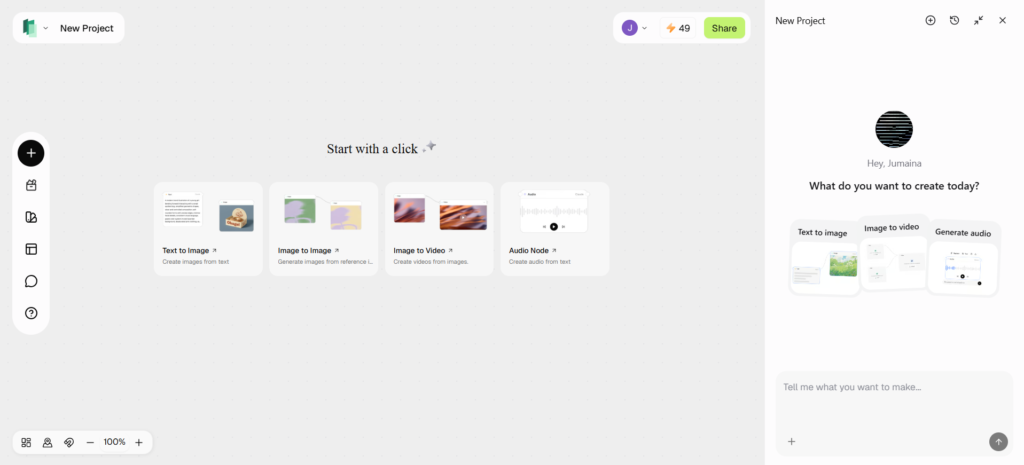
- First, sign up for Framia Pro. Then open the “Home” tab from the left vertical menu bar.
- Next, click “Agent” from the drop-down menu located at the left bottom corner of the dialogue box.
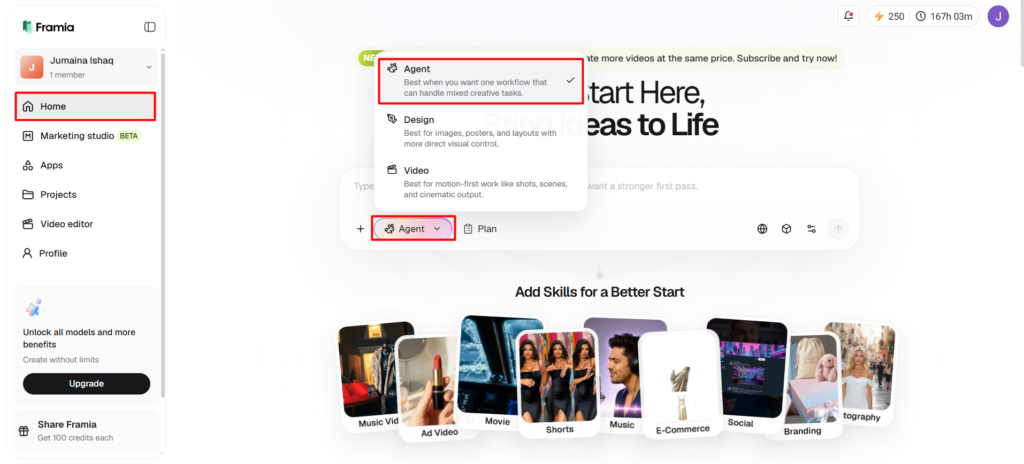
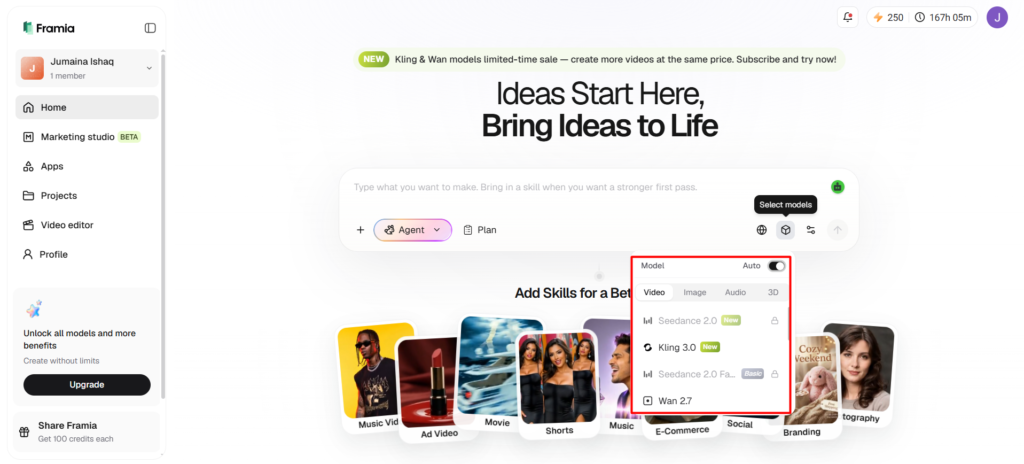
- After that, select the model you want to use for lyric video generation.
- Under the “Select models” menu, choose the “Video” option.
- Pick a suitable model such as “Seedance”, “Kling”, “Veo”, “Wan”, or “Gemini”.
Step 2: Add your song and define lyric timing
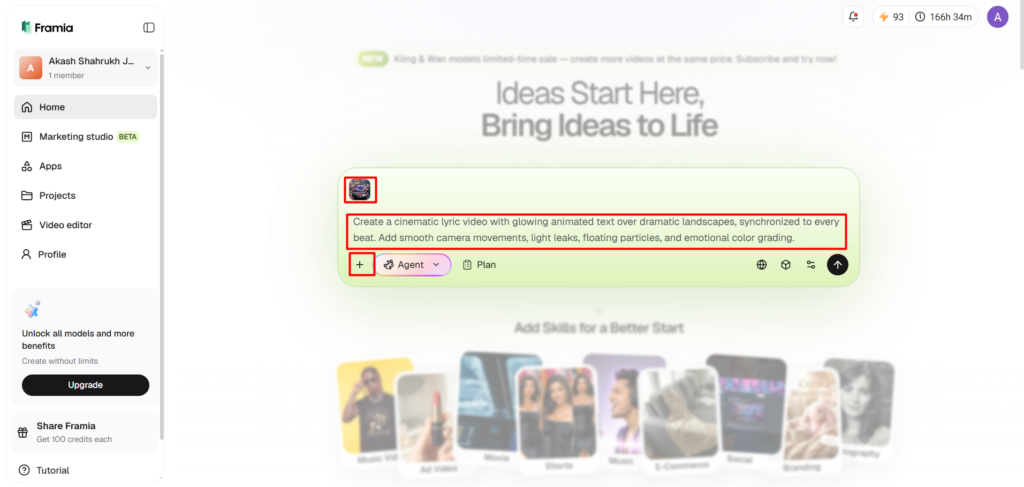
- Click the “+” tab and upload an audio file from your device as a reference.
- In the dialogue box, enter a detailed text prompt that explains how the lyric video should look and feel while matching the song’s rhythm.
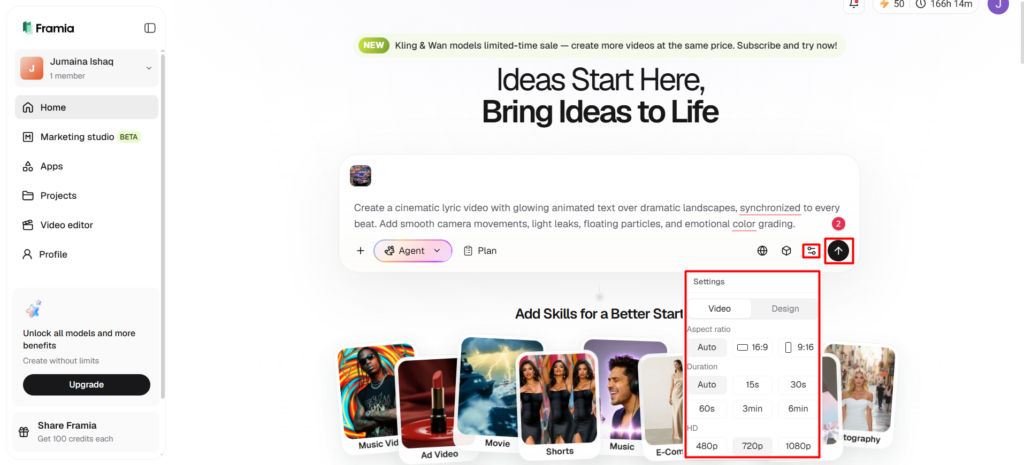
- Open the “Settings” tab and choose the aspect ratio, video duration, and video resolution.
- Finally, click the “Generate” tab to start creating your lyric video.
Step 3: Fine-tune the timing and save your video
- “Preview” the generated video. If needed, adjust the scenes in the AI storyboard editor or edit them through chat.
- You can also “Upscale video”, “Regenerate video”, or modify the video further with text-based editing.
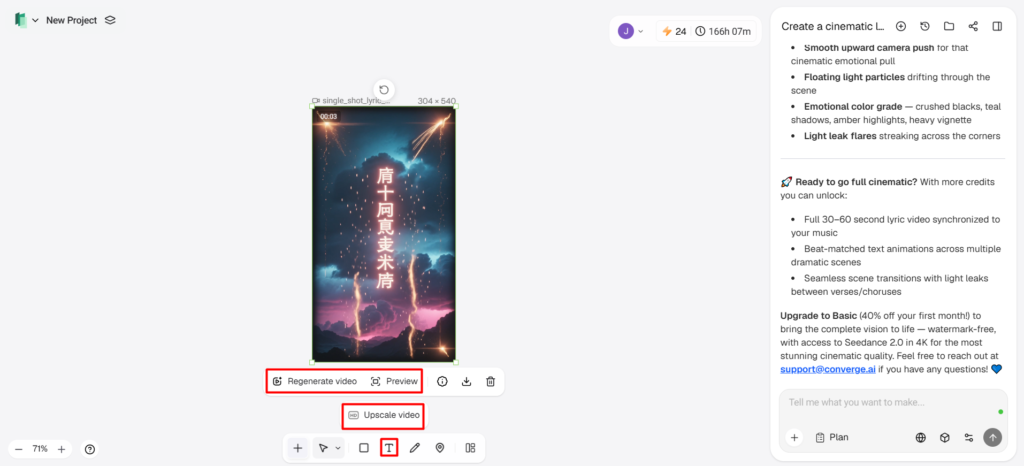
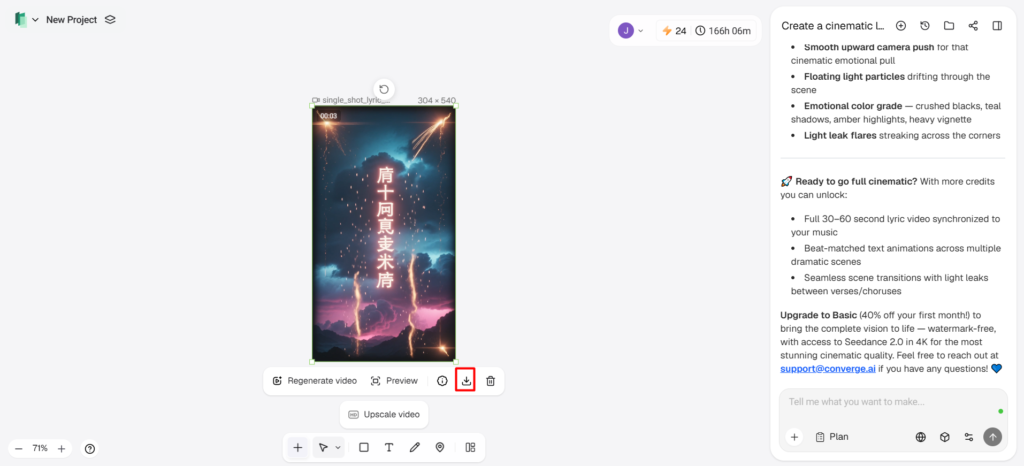
- Once everything looks right, click the “Download” tab located in the menu below the video to save it to your local device.
AI Features That Keep Every Word Locked to the Beat
Today’s synchronization does not require manual editing in a repetitive process, but rather intelligent automation. Automatic lyric extraction is the process of converting speech or singing into readable text with remarkable accuracy. Tempo and rhythm analysis determine the beat positions prior to the start of the animation. Frame-level synchronization ensures that each lyric is synchronized to the musical moments for seamless playback. When the tempo of the video changes, intelligent subtitle timing makes sure the caption timing doesn’t get thrown off. Continuous timing updates keep things synced following scene edits or animation changes. These features allow you to keep the homogeneity of long tracks and minimize the number of corrections during production. Framia Pro lyric video generator brings these functions in a single conversational creative environment to edit efficiently.

Visual Styles That Complement Perfectly Timed Lyrics
Various visual themes convey musical emotion, and there is a synchronisation of text throughout all the scenes. Framia Pro offers several creative ways without compromising timing accuracy. Some creators even mix these styles with an anime generator when making unique music experiences with animation.
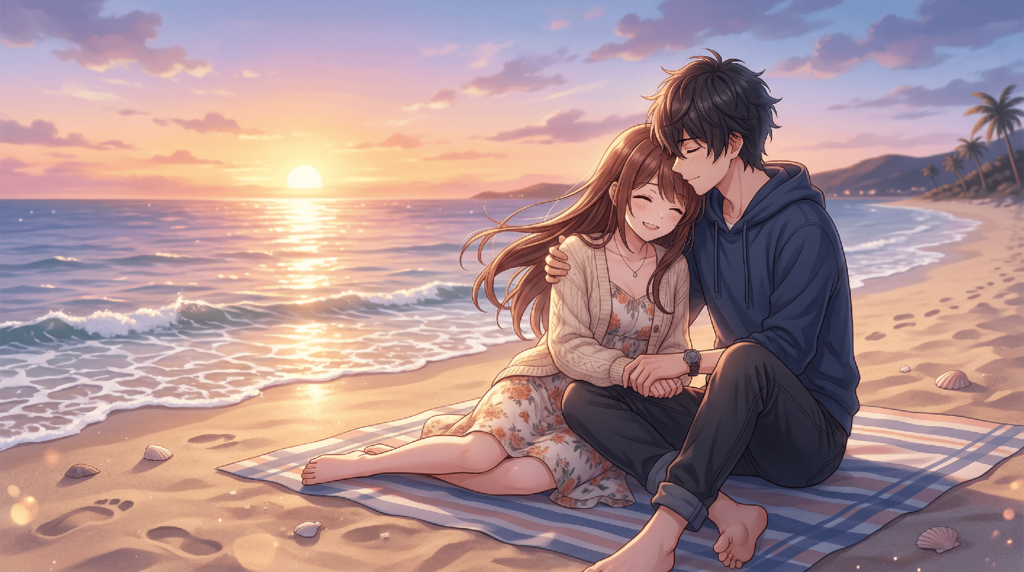
- Camera motion videos add motion to the camera, mimicking the natural flow of beats.
- Audio-reactive visuals react to the music in a rhythmically consistent way and react to the intensity of the music.
- Minimalist typography helps to enhance readability through clean layouts and limited transitions.
- Grunge themes help to convey emotional moods with textured backgrounds and synced animation.
- Street art concepts provide strong graffiti-influenced imagery and movement.
- Spotify Canvas style helps to produce visuals that loop with smooth repetition of important lyrics throughout constant movement.
Advanced Editing Options That Refine Synchronization
After the initial video generation process, editing flexibility is essential. Framia Pro offers conversational editing, which eliminates the need to use a timeline-heavy workflow, making it less technically complex. Lyric timing can be changed and is independent of the rest of the sequence. Changes in font styles, colors and positions are accomplished with simple text commands rather than complex menus. Certain areas are re-generated autonomously, thus avoiding unnecessary re-generating of completed scenes. Final projects export in pristine 4K resolution with sharp text and visuals on large screens, streaming platforms and mobile devices, and remain synced during playback.
Expanding Creative Workflows with Framia Pro Canvas
In addition to music production, Framia Pro also offers an intelligent workflow canvas for marketing projects and creative campaigns. A simple description is turned into a connected production process, in which writing, visuals, voice, music and video generation are automatically organized. There are several advanced models, such as Kling, Veo, Gemini, Seedance, and Wan, each of which takes part in the various stages of production. Integrated editing is the ability to combine generated assets into a single commercial or promotional video, without having to switch back and forth between the various creative applications. This seamless workflow boosts consistency, eliminates repetitive work, and simplifies the entire multimedia creation process from conception to deliverable download.
Comparing AI Lyric Video Workflows with Traditional Editing
The traditional process of lyric editing is frame-by-frame and takes a lot of production time and requires advanced software knowledge. Small changes in timing require a lot of manual fixes over multiple scenes. AI-powered automation significantly improves the speed of synchronization and ensures accuracy even in longer songs. Automated timing also cuts down on human error with repeat chorus sections and intricate musical arrangements. Framia Pro integrates text, image generation, video production, voices, music, conversational editing and integrated production workflows in a single creative platform, eliminating the need for multiple, stand-alone applications.
Conclusion
Seamless syncing of lyrics adds to the storytelling power as music, visuals and words are all aligned in sync. Lyrics that are well aligned enhance readability, engagement, and viewing experience in all genres. Framia Pro facilitates the process with reliable beat analysis, flexible editing tools, multilingual subtitle capabilities, integrated creative workflows, and high-quality 4K exports. These features streamline the production process and ensure that the lyric videos are visually appealing throughout, from the first verse to the last chorus.