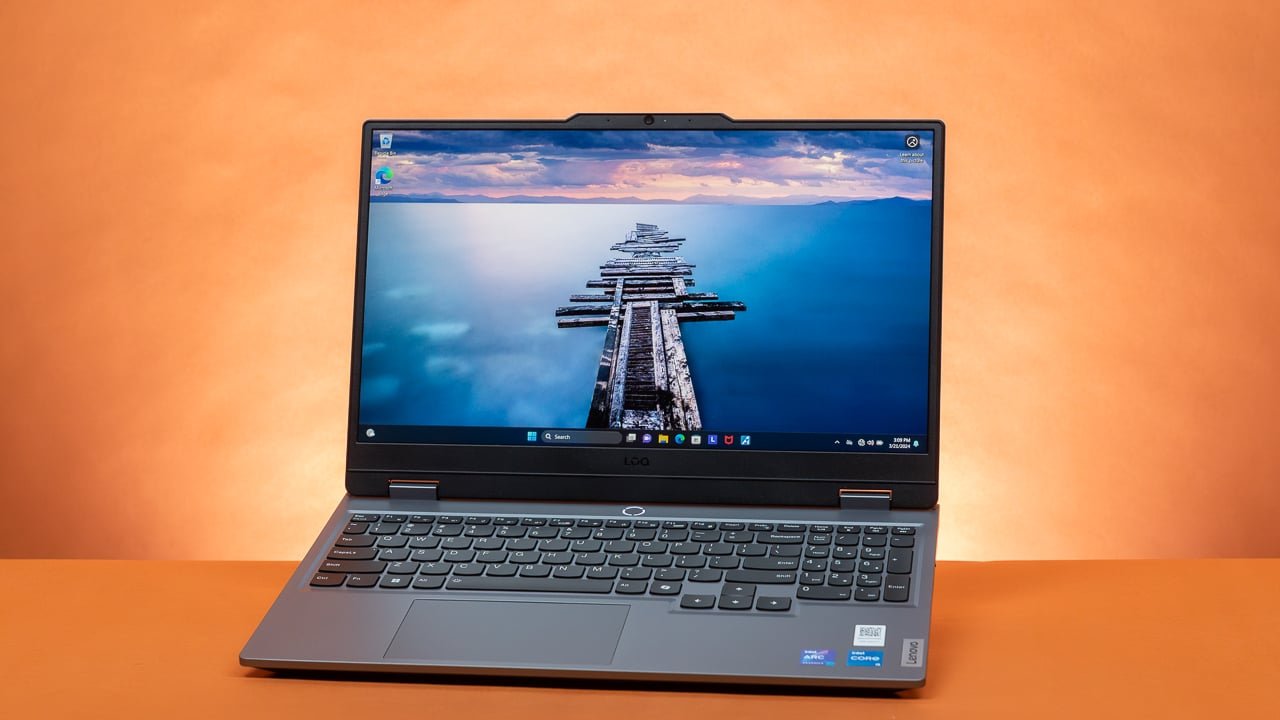
Shopping for a Lenovo LOQ 15 can feel more complicated than it should be. Walk into any electronics store’s website or scroll through an online marketplace, and you’ll find half a dozen variants of the same laptop, each with a different processor, graphics card, RAM size, and price tag. If you’ve landed here confused about which configuration actually makes sense for you, you’re not alone. This guide breaks down the major LOQ 15 configurations, explains what the differences actually mean in real-world use, and helps you figure out which version deserves your money.
Why Lenovo Offers So Many Configurations
Lenovo built the LOQ 15 as a budget-to-midrange gaming laptop line, which means it’s designed to serve a wide spectrum of buyers — from a student who wants to play casual titles between classes to a more serious gamer chasing higher frame rates in competitive shooters. Rather than building a single fixed model, Lenovo mixes and matches processors, GPUs, RAM, and storage to hit different price points. That flexibility is great for buyers, but it also means the “right” configuration depends entirely on what you plan to do with the laptop.
Processor Options: Intel vs AMD
The LOQ 15 typically ships in two processor families: Intel Core (usually from the i5 or i7 range of a recent generation) and AMD Ryzen (typically Ryzen 5 or Ryzen 7).
Intel configurations tend to offer strong single-core performance, which benefits games that rely heavily on one or two fast cores, as well as everyday tasks like browsing, office work, and light creative software. Intel chips in the LOQ lineup also tend to run slightly cooler in some workloads, though this varies by generation and cooling implementation.
AMD Ryzen configurations generally offer better multi-core performance for the price, which matters if you do video editing, run virtual machines, compile code, or multitask heavily while gaming (like streaming or running Discord, a browser, and a game simultaneously). Ryzen chips in this class are often praised for better power efficiency, which can translate into slightly longer battery life on non-gaming tasks.
For pure gaming, the difference between a similarly tiered Intel and AMD chip in the LOQ 15 is usually small — the GPU matters far more. If your budget allows, choose based on whether you value single-core speed (Intel) or efficient multitasking (AMD) rather than assuming one is universally better.
Graphics Card Tiers: The Most Important Decision
This is where configurations diverge the most, and where your choice should be driven almost entirely by what games or applications you plan to run.
RTX 3050 / RTX 4050 tier: This is the entry point for LOQ 15 gaming configurations. It comfortably handles esports titles (Valorant, CS2, League of Legends, Fortnite) at high frame rates and 1080p, and can run more demanding AAA titles at medium settings with acceptable frame rates. If your gaming diet is mostly competitive multiplayer games or older single-player titles, this tier is more than sufficient and saves you a meaningful amount of money.
RTX 4060 tier: This is the sweet spot for most buyers. It handles current AAA games at 1080p with high settings and stable frame rates, supports ray tracing reasonably well when paired with DLSS, and gives you enough headroom to play newer, more demanding titles for the next few years without immediately feeling outdated. If you’re unsure which tier to pick and can stretch your budget, this is usually the safest choice.
RTX 4070 tier: Reserved for higher-end LOQ 15 configurations, this GPU is for buyers who want to max out settings on demanding titles, dabble in 1440p gaming (even though the LOQ 15’s native display is typically 1080p, external monitor use matters here), or do GPU-intensive creative work like 3D rendering or video editing with hardware acceleration. This tier pushes the LOQ 15 close to pricing territory where Lenovo’s Legion series becomes a legitimate alternative worth comparing.
If gaming is your primary use case, spend your upgrade budget on the GPU tier before anything else. It has the single biggest impact on frame rates and visual quality.
RAM: 8GB, 16GB, or 32GB
Base LOQ 15 configurations sometimes ship with 8GB of RAM, and this is worth avoiding if at all possible. Modern games, especially AAA titles, routinely recommend 16GB as a baseline, and running with only 8GB can cause stuttering, longer load times, and poor multitasking performance even if your GPU is capable.
16GB is the realistic minimum for a smooth gaming and everyday computing experience in 2026. Most mid-tier LOQ 15 configurations ship with this amount, often as dual-channel memory (check the specification sheet — dual-channel matters for gaming performance more than the total amount in some cases).
32GB is worth considering if you do heavy multitasking, run virtual machines, edit video, or want future-proofing. For most gamers and students, though, 32GB is overkill unless the price difference between 16GB and 32GB configurations is minimal.
One practical tip: many LOQ 15 models have RAM that is at least partially upgradeable after purchase. If a 16GB configuration is significantly cheaper than a 32GB one, buying the 16GB version and upgrading it yourself later (or through a technician) can save money — just verify the specific model’s upgrade path before assuming this is possible.
Storage: SSD Capacity Matters More Than You Think
LOQ 15 configurations usually offer 512GB or 1TB SSD options, sometimes with the ability to add a second drive later depending on the chassis design.
512GB sounds like plenty until you install a handful of modern AAA games, which routinely take up 50-100GB each. If you plan to keep more than three or four large games installed simultaneously, along with your operating system, apps, and files, 512GB will fill up faster than expected.
1TB configurations cost more upfront but save you from the hassle and cost of buying and installing additional storage later, and largely eliminate the need to constantly uninstall and reinstall games to manage space.
Display Differences Across Configurations
Not all LOQ 15 units come with identical screens. Refresh rates can vary between 120Hz and 144Hz depending on the configuration, and this matters more for competitive gaming than casual play. Panel type and color accuracy can also differ slightly between SKUs, which matters if you do any color-sensitive creative work. If display quality matters to you, check the specific panel details for the configuration you’re considering rather than assuming all LOQ 15 units share the same screen.
Matching Configurations to Buyer Types
The casual or student buyer who mostly browses, writes documents, and plays esports titles occasionally is well served by an entry-level configuration: Ryzen 5 or Core i5, RTX 3050/4050, 16GB RAM, 512GB SSD.
The mainstream gamer who wants to play current AAA titles comfortably should look at the RTX 4060 tier paired with 16GB RAM and ideally 1TB storage, since this configuration balances performance and price most effectively.
The power user or content creator who games and also does video editing, streaming, or other demanding creative work should prioritize the RTX 4070 tier, 32GB RAM, and 1TB storage, accepting the higher price point in exchange for headroom and longevity.
Final Thoughts
There’s no single “best” Lenovo LOQ 15 configuration — only the one that matches your actual usage patterns and budget. Before choosing, be honest about what games or software you’ll actually run, since overspending on a GPU tier you won’t fully use is just as wasteful as underspending and hitting performance walls within a year. Prioritize GPU tier and RAM first, since these affect day-to-day performance the most, and treat storage and processor choice as secondary decisions that fine-tune the value rather than define it.