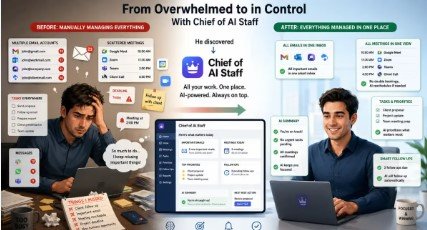
Managing a full schedule and keeping up with a full inbox is a daily battle for most people. You can manage one or the other fairly easily on its own. Put them together and you’re spending hours on tasks that could be better spent on more worthwhile things.
A Personal AI Manager deals with this by combining calendar management, email summarisation and reply drafting into a single agent. It’s not just a useful tool in practice, it’s a very good portfolio piece in itself and is a perfect example of the type of project you’d see in an agentic AI training programme. It’s the very essence of the kind of thing you’re taught to build in such a course, where you’re building an agent that can take autonomous action across a range of tools and data sources.
What is a Personal AI Manager?
A Personal AI Manager is an AI agent which is designed to do the routine productivity stuff for you. It’s not a chatbot that’s going to answer a single question. It’s an agent that can operate across your calendar, your inbox and your drafting workflow and can coordinate actions to achieve a broader set of goals.
The key difference here is autonomy. Rather than waiting to be told what to do at each stage, it can look at its environment, work out what it needs to do and then do it. That’s what makes it an agentic system.
For example if a meeting request comes in your inbox the agent can check your calendar for conflicts, assess the priority of the email and draft an appropriate response all without you having to go through each step manually.
You need a real working knowledge of tool use, API integration and multi step reasoning to build such a system. That’s precisely what agentic AI training programmes are designed to develop.
Core Components of the Project
1. Calendar Management
The calendar module interfaces with a calendar API (Google Calendar for example) and enables the agent to read existing events, detect any conflicts and create or amend appointments.
The agent uses structured reasoning to take a natural language request such as “schedule a one hour meeting with the product team next Tuesday afternoon” and turn that into a very precise API call. It checks availability, takes account of any existing blocks and confirms the action.
This component on its own is a very good teaching tool in terms of the skills it imparts: API authentication, date/time parsing, conflict detection logic and how to deal with the edge cases (e.g. overlapping time zones).
2. Email Summarization
The email module connects to a mail service via an API (e.g. Gmail’s REST interface). The agent picks up the incoming mail, filters it by priority and/or sender and then produces a succinct summary.
Rather than just surface the full email, the agent will identify the key bits of information that the sender is after (the intent), any action items, any relevant deadlines and present that in a structured format. That way the user can get a sense of their inbox in seconds.
Summarisation is done via a language model with a very carefully crafted prompt which tells it to extract only the relevant bits. The agent can also group threads and flag messages which need a prompt response.
3. Autonomous Reply Drafting
This is where it really comes into its own. When the agent has identified the emails that need a response it will draft the replies using the context of the original message, the user’s history of communication and any relevant calendar information.
For example if someone wants to reschedule a meeting the agent will read the request, check the calendar, identify two available slots and draft a polite response offering those. The user can then review and send with a single click.
Draft quality is all down to the quality of the prompt and how well you manage the context. Having the conversation history and user preferences in the prompt makes a massive difference to the relevance and tonal consistency of the output.
Architecture and Technical Stack
The agent is built on a large language model as its reasoning engine and has tool calling capability so it can call out to various APIs. The typical approach is to use the function calling capability of the model (e.g. GPT-4, Claude) where the model determines which function to call as it goes about doing the work.
The system operates via a simple loop: observe the environment, pick an action, carry that action out and then update its state. That observe-act-update cycle is the fundamental pattern in agentic system design and one that crops up all the time in the agentic AI training material.
Further components are a task scheduler to periodically check the inbox, a minimal memory store to hold user preferences and a simple review interface whereby users can either approve or edit a draft before it is sent.
Conclusion
The Personal AI Manager project is a real-world example of what modern AI engineering actually looks like. It’s not just about having a model do something on your behalf, it’s about having a series of models work together in an autonomous way to deliver actual productivity.
For developers building their portfolios, this project showcases expertise in API integration, prompt engineering, multi-step reasoning, and tool orchestration. These are precisely the skills that employers and clients look for when evaluating AI practitioners. If you are looking to develop these capabilities systematically, exploring a structured agentic ai training program is a practical and effective next step.