Professional networking often breaks down at the point where a conversation should become a usable business contact.
One person shares a paper card. Another displays a QR code. Someone else sends a LinkedIn request. At an exhibition, contact details may also appear on badges, screens or printed materials. The information exists, but it remains scattered across photographs, wallets, inboxes and spreadsheets.
A more complete networking system needs to support both sides of the exchange. Professionals need a convenient way to share an accurate digital identity, but they also need a structured method for capturing the details of the people they meet.
Combining digital business cards and AI-assisted lead capture in one app can create a more connected workflow-from the first introduction to the eventual follow-up.
Where Traditional Networking Workflows Break
A conventional business card is designed to pass information from one person to another. It does that job simply, but the process that follows is often inefficient.
The recipient may need to type the contact information into a phone or CRM. If the card is misplaced, the connection may disappear completely. When the card owner changes their role, number or website, the printed information becomes outdated.
Digital business cards address several of these limitations. A live profile can contain contact information, company details, social accounts, booking pages, portfolios and other resources. When information changes, the owner updates the profile instead of printing and distributing another set of cards.
However, sharing a digital card solves only half of the networking process. Professionals must also capture and organise the people they meet.
That is where an integrated digital business card app becomes more useful than a static profile. It can connect outgoing profile sharing with incoming lead capture, helping users manage both parts of a professional introduction.
Consider a Typical Exhibition Scenario
Consider a hypothetical business development manager named Maya attending a two-day industry exhibition.
During the event, Maya speaks with potential customers, suppliers and commercial partners. Some scan her QR code, while others hand her paper business cards. A few contacts have their information printed on event badges.
Using disconnected tools, Maya might share her profile through one platform, photograph paper cards with her phone, record conversation notes in another app and later enter selected contacts into a CRM.
Each handoff creates more administrative work. It can also separate the contact details from the context that made the conversation valuable.
With an integrated system, Maya can share one maintained professional profile and capture the information she receives within the same environment. AI can identify fields such as a contact’s name, company, job title, email address and phone number from a card or badge image.
Maya should still verify the extracted information and record relevant notes from the conversation. The value of AI in this situation is not that it replaces her professional judgement. It reduces the repetitive task of manually transcribing every contact.
What an Integrated Networking App Should Provide
Bringing digital cards and lead capture together is valuable only when the individual features form a reliable workflow.
A Live and Editable Professional Profile
The digital card should act as a maintained profile rather than a fixed image or downloadable PDF.
Users should be able to include essential contact details alongside their logo, brand colours, social profiles, website, portfolio, brochures, booking links or other relevant resources.
When a role, number or campaign link changes, the owner can update the profile. Previously distributed links and connected QR codes can continue directing recipients to the maintained destination rather than an old version.
Multiple Ways to Share the Same Profile
Professional introductions take place across physical and digital settings, so a networking app should not depend on a single sharing method.
A direct profile link works well in email, messaging apps and social media. A QR code can be shown on a phone, presentation, exhibition display or printed marketing material. Apple Wallet and Google Wallet provide quick access from a compatible phone, while an NFC product adds a physical tap-to-share option.
The person receiving the profile should not need to install the same app simply to view the information. TapiLink’s current platform materials state that recipients can open shared profiles without installing the TapiLink app.
AI-Assisted Contact Extraction
An AI lead scanner should do more than save a photograph. It should read the available information and organise it into recognisable contact fields.
The TapiLink app listings describe support for scanning paper business cards, event badges and details displayed on screens. The platform structures the extracted information into a lead that can be reviewed and managed.
This can reduce manual entry, but source quality still matters. Poor lighting, damaged cards, unusual layouts or incomplete details may affect extraction. Names, email addresses and phone numbers should therefore be checked before important communication begins.
Lead Organisation and CRM Export
Capturing a contact is not the same as progressing a relationship.
A useful platform should help users review, organise and prepare captured leads for the next step. For sales teams, CRM export can reduce the need to type the same information into another system.
TapiLink’s app listings currently include lead management, CRM export and engagement analytics among the platform’s capabilities. The Teams service also describes centralised profile management, branded templates and lead-management tools for organisations.
How TapiLink Connects Sharing and Lead Capture
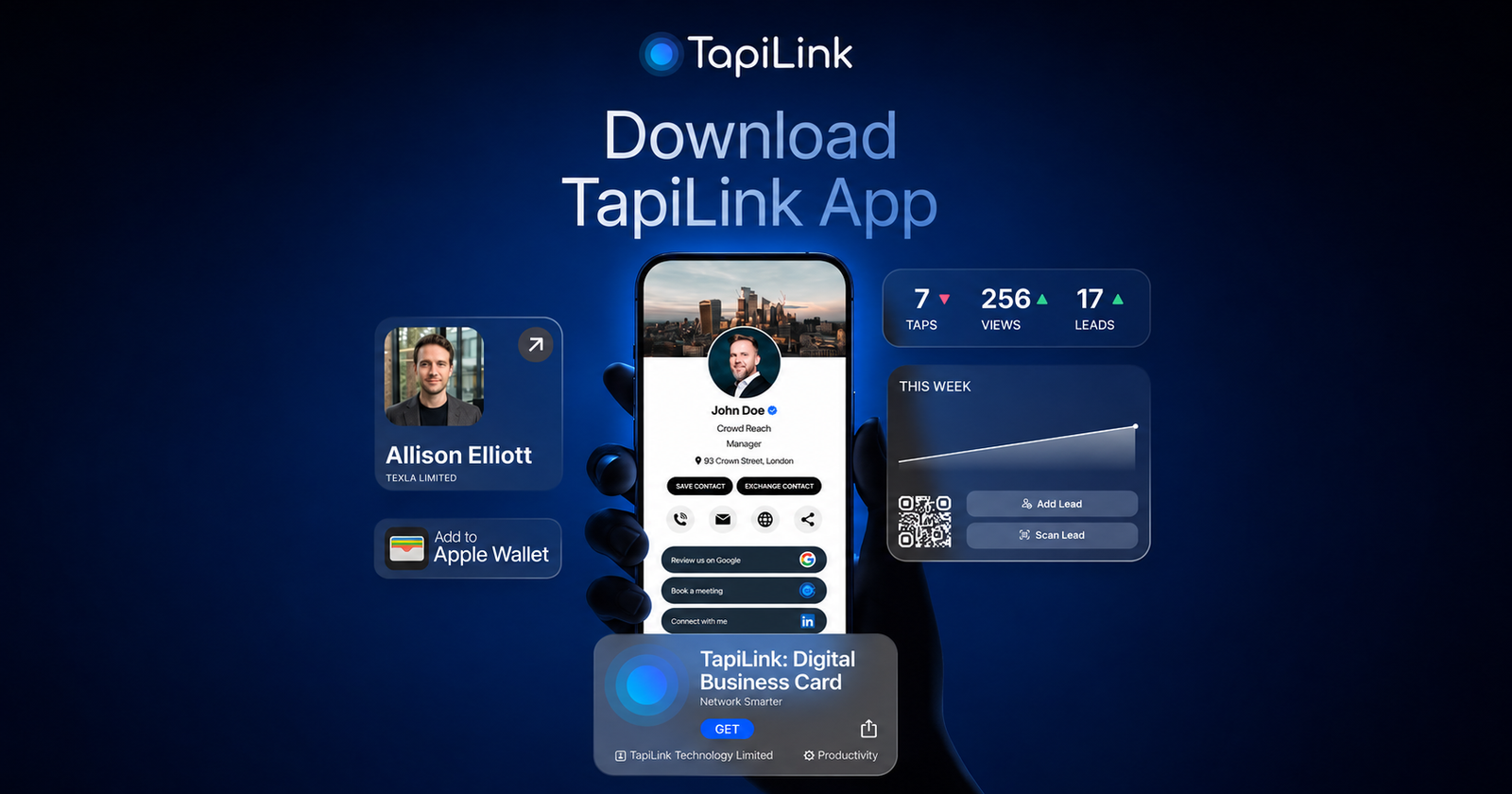
TapiLink brings digital profile creation, multi-channel sharing and AI-assisted contact capture into one mobile platform.
Users can build a branded digital business card and share it through profile links, QR codes, supported digital wallets and NFC products. When they receive a traditional business card or encounter contact details on a badge or screen, they can use the app’s scanner to create a structured lead.
Its AI lead capture workflow follows three main stages: scanning the source, structuring the available details and placing the resulting lead into the dashboard for review and follow-up.
The technical value is workflow continuity. The platform used to present a professional identity can also record the people encountered during an event.
For an individual, that may mean fewer unlabelled card photographs and fewer contacts waiting to be typed. For a team, it can establish a more consistent method for sharing branded profiles and processing leads gathered by different employees.
TapiLink is a trading name of TAPILINK TECHNOLOGY LIMITED. Companies House currently records the organisation as an active private limited company registered in England, with software development and information technology services included in its stated business activities.
A Five-Stage Technical Workflow
The combined process can be understood as five connected stages.
1. Create the Digital Identity
The user creates a profile containing verified contact information, company branding and relevant professional links.
2. Share Through the Appropriate Channel
The profile can be shared through a link or QR code, saved to a supported digital wallet or connected to an NFC product. Each method directs the recipient towards the same maintained profile.
3. Capture the Other Person’s Information
When the other person provides a paper card, badge or on-screen details, the user scans the source through the lead-capture feature.
4. Verify and Add Context
The extracted fields should be checked for accuracy. The user can then add the context that AI cannot reliably infer, such as the reason for the conversation, the contact’s priorities or an agreed next action.
5. Organise and Continue the Relationship
The verified contact can be organised for follow-up or moved into an existing CRM workflow where the available plan and integration support it.
This final stage is important because networking technology should not merely increase the number of contacts collected. It should make useful follow-up easier.
Who Can Benefit From the Combined Approach?
Sales representatives and business development professionals are clear use cases because they regularly move from introductions to follow-up.
Recruiters can share company or vacancy information while capturing candidate details. Consultants and agency professionals can place their services, booking pages and work examples into one profile. Founders can present several business resources without overcrowding a traditional card.
Event exhibitors may see particularly practical benefits. A stand team can meet many people within a short period, often receiving information in inconsistent formats. A shared digital-card and lead-capture process can make the resulting records easier to review after the event.
The platform can also be used outside exhibitions. A professional may place their profile in an email signature, send it after a video meeting, display its QR code during a presentation or keep it accessible through a digital wallet.
What Businesses Should Check Before Adoption
Businesses should evaluate more than the number of features listed on an app page.
They should test how accurately the scanner processes the types of cards and badges their teams commonly receive. Privacy documentation, user permissions, CRM compatibility and data-retention requirements should also be reviewed before the platform becomes part of an organisation’s lead-management process.
Testing should take place under realistic conditions. A tool used at an exhibition must be quick enough to support a live conversation. Employees should also understand that extracted data needs verification and that meaningful conversation notes remain a human responsibility.
Success should ultimately be measured through operational and commercial outcomes. These may include the time required to process event contacts, the percentage of captured leads reviewed, follow-up completion and meetings generated. Profile views, QR scans and NFC interactions can provide additional signals, but they do not replace outcome-based measurement.
A More Complete Model for Digital Networking
Digital business cards make professional information easier to share. AI lead capture makes incoming contact details easier to structure and manage.
Combining the two creates a more complete networking workflow: present an accurate identity, capture the other person’s information, verify the record and move the relationship towards a relevant next step.
TapiLink’s approach reflects a wider shift from simply replacing paper cards to supporting the full networking process. The platform does not remove the human skills behind a valuable business relationship. Instead, it is designed to reduce the administrative friction surrounding that relationship, leaving professionals with more time to focus on context, trust and timely follow-up.